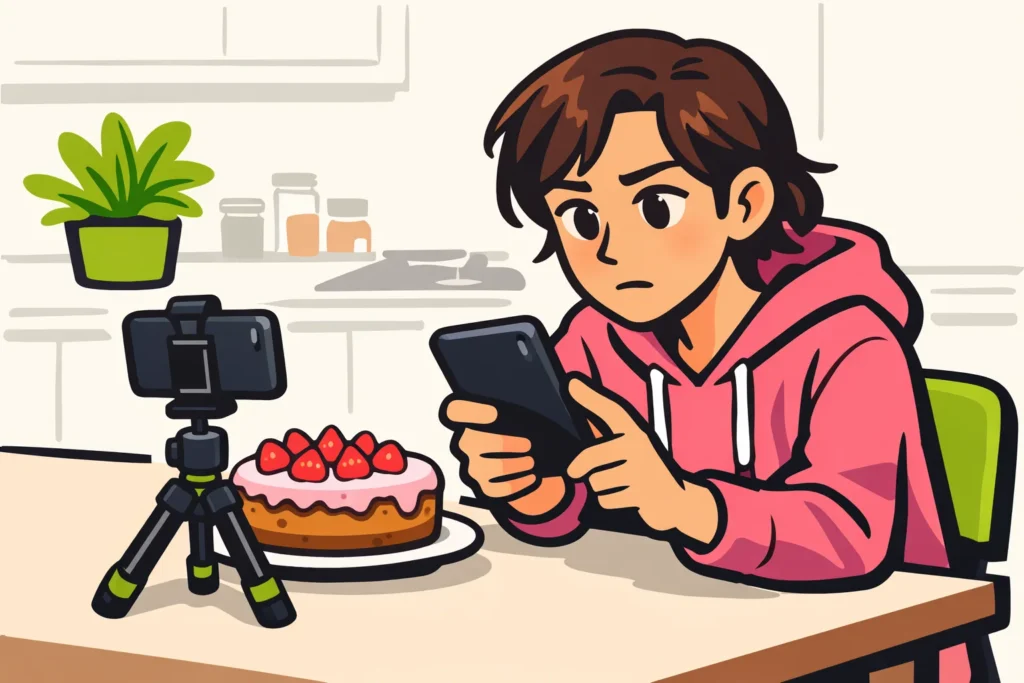
If your TikTok seems to have disappeared after posting, first check your own profile and username. The upload may not have finished, not everyone may be allowed to see the video, or there may be a notice about review or removal. Also check your drafts and notifications. Zero views alone do not mean that your video is gone.
Choose what matches your situation below and follow the steps that apply.
Check where your TikTok is still visible
Open your own profile and try to play the video. A video that is missing there requires different checks than a video with zero views.
| What do you see? | What can you do now? |
|---|---|
| You can play the video yourself, but someone else cannot. | Check who is allowed to see the video and whether your account is private. |
| You and someone else can open the video. | The video has not disappeared for either of you. Find out separately why it has few views. |
| You can find the video only in your drafts. | Check whether you finished posting. A draft does not prove that the video was posted. |
| You see a notice about review. | Check whether the notice concerns this video and read the explanation. |
| You see a notice about removal. | Save the reason and check whether you can appeal. |
| The video is not on your profile and you do not see a clear notice. | Check your account, your drafts and whether the upload is complete. |
If necessary, ask someone to open the video through your profile or an existing video link. Choose someone who is allowed to see the video according to your settings. With a private account, a test with a random visitor does not tell you enough.
Check whether your TikTok was actually posted
Returning to your profile after posting does not yet prove that the upload succeeded. Therefore, check the following:
- Check your username. Do you use multiple accounts? Make sure you are searching on the correct profile.
- Check your drafts. A draft is a video you saved to post later. Is your recording there? Check whether it is the version you wanted to share.
- Check whether the upload is still in progress. Also look for an error message or a step you still need to complete. Take a screenshot of an error message before continuing.
- Open your profile again. Check whether the video now appears and whether you can play it.
Is the video on your profile but has zero views? Do not delete it just because of that number. You cannot infer from it whether posting failed, TikTok is reviewing the video or the video was removed.
Check who is allowed to see your TikTok
A private video or private account limits who can see your video. TikTok explains this on its page about private videos and private accounts.
Check both your account and the setting of the video itself. Is the group you want to share the recording with actually able to view it? Do not immediately make your account public just to test this.
Suppose you posted a video from a dinner. You can watch it yourself, but a friend cannot open it. First check whether that friend is allowed to see the video according to your settings. Reuploading is not the first step.
Want to change the setting? Choose only the group you want to share the recording with. Then have the same person check again.
Check whether your TikTok is under review or has been removed
Look for a notice concerning this video. Check the date, the video and the reason. A general notice about your account does not automatically explain why one upload is missing.
TikTok describes in its report on content review in Europe how it checks content and takes automatic action in response to violations. That general report does not tell you why your video is missing.
- The video is under review. That is not yet confirmation that it has been removed. Read whether the notice tells you what you can do now.
- The video has been removed. Save the notice with the reason. Check whether you can appeal if you disagree with the decision.
- The video is not being recommended. Check whether you can still view it through your profile. Not being recommended is different from disappearing.
- You see no explanation. Do not immediately assume that TikTok has blocked the video. Continue with the checks for the app and your connection.
Few views are not proof of a shadowban. People use that term to mean a hidden restriction on visibility. Instead, focus on what you can check yourself. Without a specific notice, you also cannot reliably determine how long a review will take.
Check TikTok and your connection
Are more videos missing, or are other profiles also failing to load? Then check the app and your internet connection. The fact that multiple features are not working does not yet prove that TikTok is experiencing an outage.
- Test your connection. Open another app or website. Is that not working properly either? Try another reliable connection.
- Open TikTok again. First check whether an upload is still in progress and save important work.
- Check whether there is an update. Check your device’s official app store to see whether you can update TikTok.
- Compare with another device. Ask someone to view your profile. Note whether only you are experiencing the problem.
Do not delete the app or app data as your first attempt. First save important recordings and edits outside TikTok. Otherwise, you risk losing your only copy as well.
Reuploading or making a small change is not a guaranteed solution. First check whether the original video was posted after all. This helps prevent you from accidentally sharing two versions.
Get help if your TikTok remains missing
Want to have a removal reviewed? Use the appeal option if it is offered. Is the video missing without a clear reason and are the checks not helping? Then seek help through the app. The options may differ, so follow the instructions you see there.
Collect these details in advance:
- Your username.
- The date and estimated time when you posted the video.
- A brief description of the video.
- The video link, if you still have it.
- A screenshot of an error message or TikTok’s decision.
- What you and someone else can still see.
- Which checks you have already completed.
A fictional example of a help request: “My video from last night is not on my profile. It is not in my drafts either. I see no notice about removal. A friend cannot see the video either. I have checked my account and connection.”
Is not only your video gone, but is your entire account permanently blocked? Then read more about appealing a permanently blocked TikTok account.
Save your TikTok before posting again
You cannot always prevent an outage or a decision by TikTok. Therefore, also save your recording outside the app. Then you will still have it if the posted video is missing.
- Save the original video outside TikTok.
- Before posting, check your account and who is allowed to see the video.
- Wait until the upload appears to be complete, then check your profile.
- Open the posted video and check whether it plays.
- Save the video link if you want to check later whether the video can still be opened.
Do you see an error message? Save it before starting again. It may help identify what is going wrong without repeatedly posting the same video. Once your account is working as intended, you can explore our TikTok services to compare packages for followers and likes for your public profile or content.
























