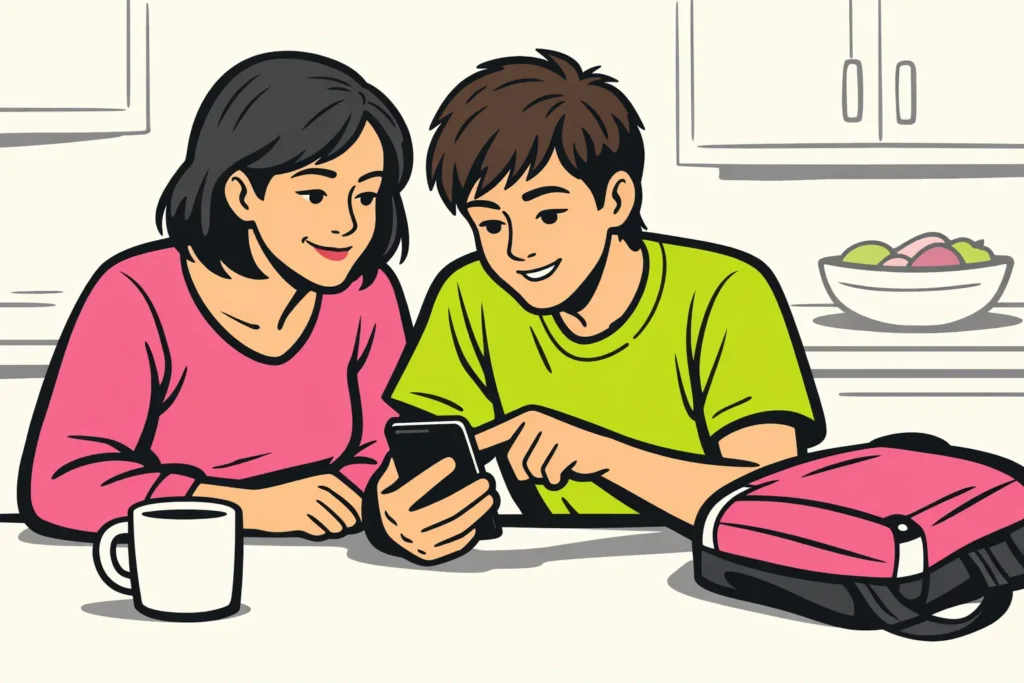
Instagram is not without risks for children and teenagers. A private account helps, but it does not always prevent nasty messages and pressure from others. First, check together who your child can follow and message. Whether your child is ready for Instagram also depends on their age and how comfortable they are asking for help.
Read what you can do at each age, which settings you can review together and where to find help if something goes wrong.
At what age is Instagram suitable for your child?
The Dutch Government recommends a minimum age of 13 for major social media platforms and advises waiting until age 15 for Instagram.
A platform’s minimum age does not tell you whether your child is ready for it. The Dutch advice is not a Belgian rule either. So also consider what your child can already do. Can they refuse strangers? Can they stop scrolling? And do they tell you when a conversation makes them uncomfortable?
The table can help you make agreements at home. These are practical suggestions, not fixed rules.
| Age | What can you do as a parent? | What can you practise together? |
|---|---|---|
| Under 13 | Wait before setting up an account of their own. If appropriate, let your child look with you at something you have chosen in advance. | Discuss why you would or would not post a photo online. |
| 13 and 14 | Consider waiting longer. Is your child already using Instagram? Check the account together and discuss parental supervision. | Practise what to do with a follow request from someone they do not know. |
| 15 to 17 | Give them more independence and agree when you will look at the account together. | Discuss contact with strangers, pressure to send photos and asking for help. |
Before getting started, you could ask: “What would you do if someone asked for a photo you did not want to send?” Does your child not know? Think of an answer together and discuss who they could ask for help.
What risks do teenagers face on Instagram?
Do not focus only on how long your child spends on Instagram. What your child sees and who they talk to is at least as important.
- Unwanted contact. Someone may pretend to be the same age as your child and ask for personal information. A recognisable profile photo does not prove who is behind the account.
- Bullying and exclusion. Think of nasty comments, photos being forwarded or a group turning against your child in messages.
- Grooming. Someone gains a minor’s trust for a sexual purpose. Watch for requests to keep contact secret, gifts and pressure to move to another chat app.
- Sextortion. Someone threatens to share an intimate photo. They may demand money, more images or further contact.
- Distressing images and pressure to compare yourself with others. Messages about bodies, appearance or dangerous behaviour can make your child feel insecure or upset.
- Less sleep and downtime. Constantly checking or responding can come at the expense of sleep, homework and other activities.
- Scams. A message about a prize or a supposed account problem may be intended to obtain a password or login code.
Is your child sleeping badly, startled by notifications or no longer wanting to go to school? Calmly ask what is going on, without immediately checking the account. Such changes can have various causes. They do not prove that something happened on Instagram.
How do Instagram Teen Accounts and parental supervision work?
According to Meta’s 2026 announcement a default content setting for ages 13 and over is being expanded internationally to teenagers under 18. Turning it off requires parental permission.
Such a setting affects which images and messages your child sees. That does not mean everything is suitable for your child. Check together which protections are available in the account.
A Teen Account is not the same as parental supervision. A Teen Account has protective settings. With parental supervision, you also have a role yourself, for example by linking your own account. Discuss together what this involves.
- Check the date of birth. Use your child’s actual age. Do not enter an older age to avoid restrictions.
- Find the parental supervision options. Read together the information Instagram provides about possibly linking it to your own account.
- See what you can view and change. Do this before confirming the link. Do not assume that supervision lets you read every conversation.
- Agree what you will use supervision for. For example, to review settings together, not to check everything without explanation.
Is an option missing? Check the app’s help section to see what is available for this account. Buttons and features may differ. In the meantime, limit together who can see the account and who can make contact.
Which settings make Instagram safer for your child?
Get the phone and ask your child to explain what they see. Go through the following points together and change settings by agreement.
- See who can view the account. Choose a private account where possible. Also review the existing followers. Who does your child really know and who does not need to look along?
- Limit contact from strangers. Check who can send messages and requests. Choose the most restrictive option that fits your agreements.
- Review comments and mentions. Check who can comment on posts and who can mention your child or tag them in a photo. Limit this where necessary.
- Check protection against sensitive content. Turn on the strictest available setting. Explain that your child may still come across something upsetting.
- Review the profile and photos. Remove the school name, phone number and recognisable daily route. It is better not to share where your child is alone at that moment.
- Secure the login. Choose a password your child does not use anywhere else. Turn on extra login security if available. This means a second form of verification is needed in addition to the password. Agree that your child will never share login codes.
- Agree on downtime. For example, agree that the phone stays outside the bedroom while sleeping. Choose something realistic and review together later whether it helps.
A private account does not make photos secret. Someone who is allowed to see a photo can still capture or forward it. Also read: do you get a notification when someone takes a screenshot of an Instagram Story?
How do you talk to your teenager about using Instagram safely?
Ask about something specific instead of starting with “You spend too much time on your phone”. For example: “Which post did you like today, and which one did you not like?” You do not need to read all conversations straight away.
Practise a situation together. A fictional example: a stranger with a friendly profile photo says they attend the same school. They ask when your child is home alone. Discuss that your child does not have to answer, even if the other person continues to act kindly.
Make clear what your child can expect from you:
- Your child can always ask for help, even if they have already shared a photo or clicked a link.
- Agree that you will not react angrily or send something on your child’s behalf without discussing it first. Only in immediate danger may it be necessary to intervene without consulting them.
- Your child knows which other trusted adult they can turn to, such as a family member, mentor or student support officer.
You could say: “If someone pressures you, I will help you first. Then we will look at what needs to change.”
What should you do about bullying, grooming or sextortion on Instagram?
Is your child in immediate danger? Call 112. Think of a specific threat at the place where your child is. For other distressing experiences, you can follow these steps.
- Listen and end the contact that is causing pressure. Do not let your child continue negotiating or arrange a meeting with the other person. Say that it is good that your child told you.
- Save information you can safely record. Note the username, date, link to the profile and what happened. Keep threatening text, but do not download, copy or distribute sexual images of minors. Ask the police how to handle this.
- Report the behaviour and block the contact. Use the reporting options on the account or message. Does staying in contact feel unsafe? Do not wait to end it.
- Find appropriate help. Involve the school when classmates are bullying your child. For sexual approaches, threats or sextortion, contact the police or specialised support.
For bullying by people your child knows
Ask what your child needs to get safely to school or their sports club tomorrow. Agree with the mentor or student support officer who will take action and when you will hear how things are going. Deleting the app alone does not stop contact outside Instagram.
For grooming or pressure to meet
Do not let your child go to the meeting. Do not continue chatting on your child’s behalf to collect evidence either. Save the details you can safely record and discuss the next step with the police.
For sextortion involving intimate images
Do not pay and do not send new images. Paying does not guarantee that the threat will stop. Seek help together, even if your child feels ashamed. The person making the threat is responsible for the sextortion.
In the Netherlands, you can seek help from Helpwanted. In Belgium, you can contact Child Focus. For threats or anything that may be a criminal offence, you can also go to the police. You do not first need to work out exactly which offence it is.
Checklist for using Instagram safely
Use this list when getting started. Go through it again after an upsetting experience or a change to the account.
- You have discussed together whether your child is ready for an account of their own.
- The actual date of birth has been entered.
- You have checked together who can see the account and who your child follows.
- You have checked who can send messages, requests and comments.
- You have reviewed the available protection and any parental supervision.
- School, home address and daily routes are not unnecessarily visible.
- The password is not used anywhere else and you have reviewed extra login security.
- There is a realistic agreement about phone use around bedtime.
- Your child knows how to end contact and who they can ask for help.
Start with the points you have not yet reviewed together. Then ask your child to explain in their own words what they would do about a nasty message. This shows you which agreements still need explaining. If you also publish your own content, our Instagram services includes packages for followers and likes. The product pages show the available quantities and prices.
























