You can increase your chances of getting more views on YouTube with a clear topic, a suitable title and a video that shows what you promise. Start by choosing one existing video. Do the title and opening immediately explain what someone will get out of it? That is something you can work on deliberately. You cannot determine whether your video will go viral.
Below, you will read how to improve eight elements, with examples you can adapt yourself.
1. Choose one clear topic for your YouTube video
Before filming, decide which question or moment is central. This helps you choose what to record and what to leave out.
Suppose you want to make a video about your balcony. ‘My balcony’ says very little. ‘Which herbs suit a small balcony?’ makes it clear what the viewer can expect. Making a funny video? Then one recognisable situation can be your topic.
The YouTube algorithm is the system that recommends videos. According to YouTube’s explanation of recommendations it matters whether people choose to watch, keep watching and are satisfied.
That is not a fixed formula for success. Use it to think about your video. Complete this sentence: ‘You are watching this because you want to know or see…’ Cannot you do that in a short sentence? Then choose a smaller topic.
2. Explain in your YouTube title what you are showing
A good title tells people what your video is about and makes them curious. Only promise something that is actually in the video. Put the main topic first if that reads well.
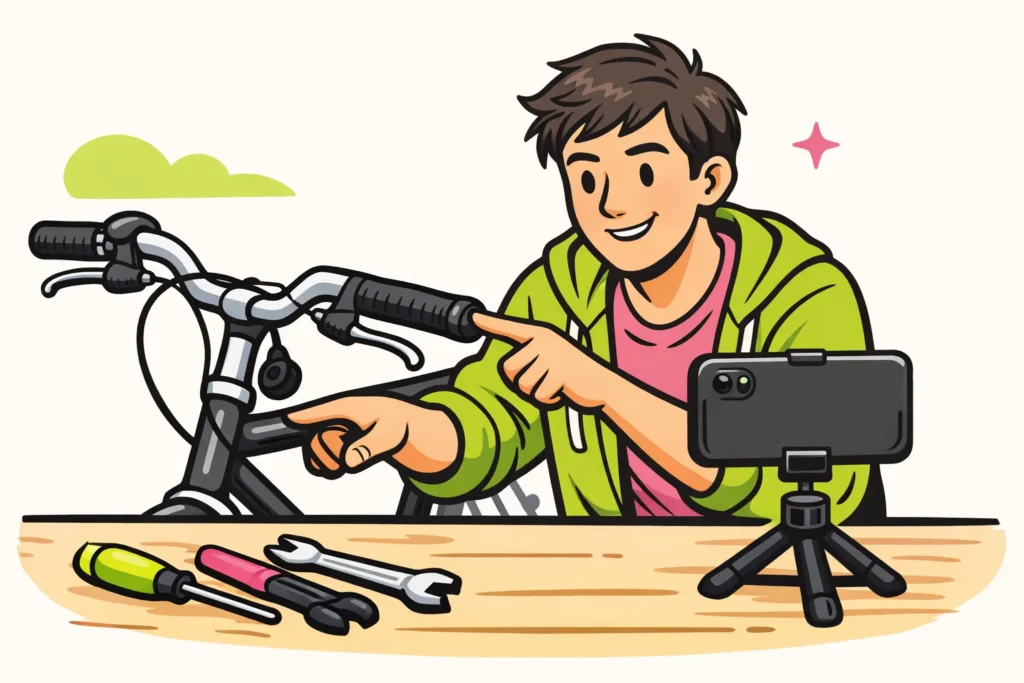
Write three titles and then choose the best one. As a fictional example, take a video in which you restore a second hand bicycle:
- Show the result: ‘Restoring a second hand bicycle: this is what I replaced’
- Ask a question: ‘Can you still restore this old bicycle?’
- Name what you explain: ‘How to replace worn bicycle grips’
The best choice depends on your video. The last title does not fit if you mainly show how you paint the bicycle. Use words someone might search for, such as ‘restore bicycle’, but do not repeat them unnecessarily.
3. Make your YouTube thumbnail recognisable at a small size
The thumbnail is the small preview image for your video. Choose an image that you can immediately understand on your mobile as well.
For the bicycle in the example, you could show the worn handlebars. Is the video about the entire restoration? Then an image of the bicycle before and after restoration is more suitable.
- Make one subject clearly stand out.
- Remove busy details that add nothing.
- Only use text if it explains something.
- View the image at a small size on your mobile.
Then view the title and image together. The title can ask a question while the image shows why that question is interesting. Do not use a striking image of something that does not appear in your video.
4. Start your YouTube video with what you promise
Immediately show what someone clicked for. A long greeting, an explanation of your channel or a request to subscribe can usually wait.
Start an explainer video with the problem. In a test, show what you are going to try. Telling a story? Then start with the event where it begins.
One possible opening for the fictional bicycle video is: ‘These grips are coming loose. I will replace them and show you how to check that the new ones are secured properly.’ This tells the viewer immediately what comes next.
Watch the beginning of your video again and ask yourself three questions:
- Is it immediately clear what the video is about?
- Does it deliver what I promise in the title?
- Can anything be removed without losing explanation?
You do not need to speak faster. Start earlier with what the viewer wants to see.
5. Make your YouTube video as long as necessary
Take enough time to tell your story or explain a step. Do not stretch your video to exactly ten minutes because you hope it will then receive priority. Do not use that length as a trick.
While editing, consider what you can leave out and what needs more explanation:
- Explained the same step twice? Keep the clearest version.
- Spent a long time looking for things? Cut that out unless the searching is part of your story.
- Is an action difficult to follow? Show it in more detail.
- Is your voice difficult to understand? Improve the sound where you can and turn down the background music.
A short video is not always clearer. With an instruction, the viewer needs to be able to calmly follow what you are doing.
6. Test an individual tip with YouTube Shorts
Shorts are short videos on YouTube. You can use them to test whether a tip, question or striking moment appeals to people. Viewers of a Short will not automatically watch your longer videos as well.
Therefore, choose something that is useful or entertaining on its own. ‘Watch my full video’ alone gives someone little reason to keep watching.
In the fictional bicycle example, you could show a grip that still turns after being replaced. Then show how to check whether it is secure. The long video can explain the complete replacement.
Make sure someone understands the Short without knowing the long video. Mention it only if the extra explanation is relevant. Compare the results of short and long videos separately, because you are trying different things with them.
7. Make your YouTube videos lead into one another
Think about what someone will still want to know after your video. After a video about replacing grips, an explanation of adjusting the saddle may be suitable. This keeps you with the topic the viewer came for.
In YouTube’s explanation of quality and how often you upload it says that the system follows the viewer and prioritises quality over quantity. Uploading daily or weekly does not result in an automatic reward.
So choose a rhythm in which you can finish your videos properly. Take time for understandable audio and a complete explanation, rather than posting a video that is missing important information.
Do you already have a suitable follow up video? At the end, explain what someone will learn from it. Do you also want viewers to keep following your channel? Then read the tips for getting more YouTube subscribers.
8. Test what brings you more YouTube views
Choose one element to change and write down what you expect. If you change everything at once, it is harder to see what may have helped.
| What do you notice? | What can you try? | What do you look at afterwards? |
|---|---|---|
| Your title is vague. | Name the specific question or outcome. | Can someone understand what the video is about without an explanation? |
| The beginning contains a lot of introduction. | Show the problem or result earlier. | Do viewers keep watching for longer at the beginning, if you have that data? |
| Your thumbnail is busy. | Choose one clear subject. | Is the image still easy to understand when small? |
| Your Short feels like an advert for your long video. | Make it one complete tip. | Does someone still get something from the Short without watching the long video? |
View counts provide clues, but do not prove that your change made the difference. The topic, viewers and timing can also vary. Therefore, compare videos about similar topics where possible. Give them the same amount of time after posting before comparing the figures.
For example, you could record the number of views after seven days each time, together with what you changed. Those seven days are a fixed measurement period for yourself, not a YouTube rule. Views are views, not automatically different people.
Read the comments too. Are several people asking for an explanation of the same part? Then you have an idea for a follow up. If you also want to look at appreciation for your videos, read about getting more likes on YouTube.
Paid quantities are separate from these tests. Buy YouTube views does not prove that people are genuinely paying attention to your video. It also does not guarantee organic reach: reach without paying for it. Still considering it? First read what you need to know about the safety of buying YouTube views. To compare quantities and prices, explore our YouTube services, including packages for views and subscribers.
Now choose one video and one adjustment, such as a clearer title or a shorter introduction. Note what you change. Use what you learn from it in your next video.