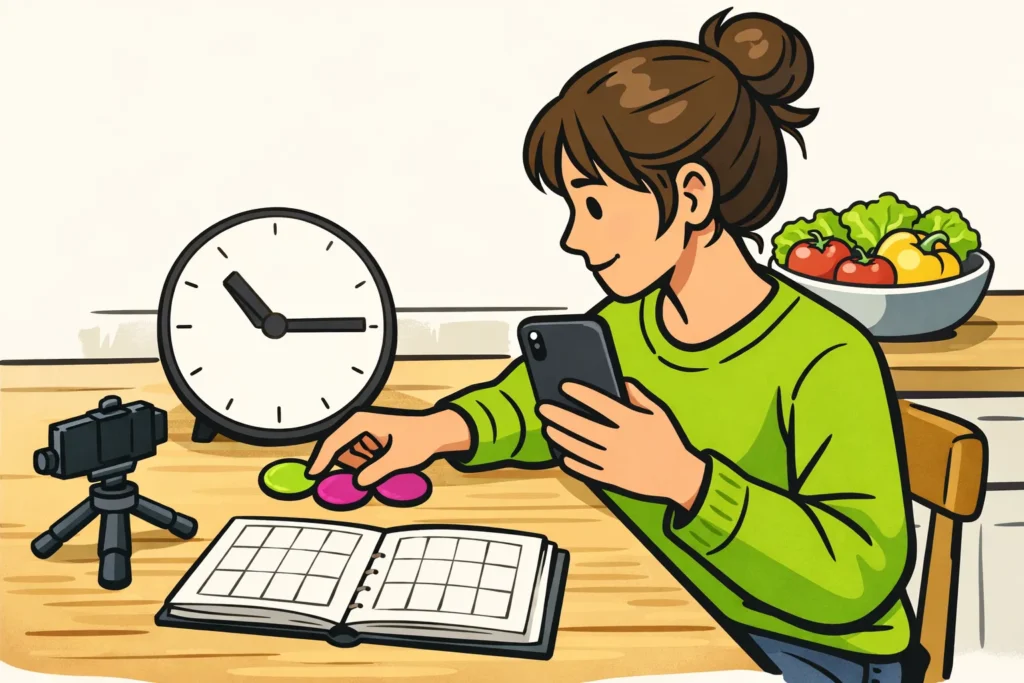
Find the best time to post Reels by comparing two times when your audience is likely to be watching. For example, try 12.30:19.30 pm and : pm in your viewers’ local time. These are testing times, not proven best hours. Use your own insights if you have them. Compare multiple Reels and give each video the same amount of time before reviewing the figures.
Below, you’ll see how to choose times, plan a test and compare the results.
What times can you try for Reels in the Netherlands and Belgium?
Choose two times that suit the people you make videos for. A Reel with a quick evening meal may be useful at a different time from a video about a late concert. The subject helps you choose a time to try. It does not yet tell you when people actually watch.
You can use these times for an initial test. This is not a ranking of the best posting times.
| Possible viewing time | Example time | When to try it |
|---|---|---|
| Before school or work | 07.30 am | If you expect your audience to look at their phones early. |
| Around lunch | 12.30 pm | If an afternoon break seems like a logical viewing time. |
| In the evening | 19.30 pm | If your audience is likely to be free then. |
For viewers in the Netherlands and Belgium, you can use the same local clock time. Does a large part of your audience live somewhere else? Then consider their daily routine and time zone. Write down which time zone you use for your test.
Why a general list is not enough
An international average may not suit your viewers. When looking at a list of posting times, consider the country, time zone and type of posts studied. An average for all Instagram posts does not automatically tell you when it is best to post Reels.
Also keep weekdays and days off separate. A time that works well on Tuesday may not be equally suitable on Sunday.
Choose posting times for Reels with Instagram Insights
Instagram Insights contains your account and post statistics. Can you view them? Look for information about your audience. Can you see which days and hours your audience is active? Use this to choose two test times. Also check which time zone is shown with the data.
Is this information missing? Then choose two times from the table when you think your audience is watching.
Also look at a few earlier Reels. Write down when you posted them and what they were about. This may give you ideas, but it does not prove which time is best. After all, a funny pet video and a calm cooking video differ in more than just posting time.
Meta announced in 2024 Best Practices in the professional dashboard with general and personalised tips. Whether you see these may vary by account.
Do you see tips like these? Use them to choose something you want to try. Then check your own test to see whether it works for your Reels.
Test two posting times for your Reels
You do not need to post a Reel every day to compare times. In this example, you post two Reels per week for four weeks. You try each time four times, spread across the same two weekdays.
| Week | Tuesday | Thursday |
|---|---|---|
| 1 | 12.30 pm | 19.30 pm |
| 2 | 19.30 pm | 12.30 pm |
| 3 | 12.30 pm | 19.30 pm |
| 4 | 19.30 pm | 12.30 pm |
- Choose what you want to compare. Do you mainly want to reach more accounts? Use reach as the main figure if you can see it.
- Create comparable Reels. For example, film a short cooking tip each time. Keep the length and filming method roughly the same. Do not repost the same video repeatedly.
- Change the posting time mainly. Do not change a new subject, a different length and a new style at the same time. Do you also share the Reels in your story? Then do so in roughly the same way each time.
- Measure after a set period. For example, write down the figures after 24 hours and after seven days. These are arrangements for your own test, not Instagram rules.
- Record unusual factors. Think of a public holiday, someone mentioning you unexpectedly or a subject suddenly receiving extensive news coverage.
- Give each Reel the same amount of time. Only compare the results after seven days once the last Reel has also been online for a full week.
Is twice a week too much? Spread the test over more weeks. Keep the chosen days and times as consistent as possible.
With this small test, you cannot know for certain that a difference is caused by posting time. Your videos are never exactly the same. Therefore, look for a pattern across several Reels, not one video that performs much better or worse.
Which figures should you compare after posting a Reel?
Record the same figures for each Reel, always after the same period. Use only data that you can see in your account.
| Figure | What does it tell you? | What should you look for? |
|---|---|---|
| Accounts reached | How many different accounts your Reel reached. | This is not the same as the number of times your Reel was played. |
| Views or plays | How often your Reel was viewed or played according to the counter. | Read the explanation next to the counter. The number of views is not the number of unique people. |
| Total watch time | All watch time combined. | More views can also result in more total watch time. |
| Average watch time | How long people watch on average. | Compare videos of roughly the same length. |
| Likes, comments, shares and saves | How many of these actions occur around your Reel. | When you add them together, you are counting actions, not unique people. |
Meta described total and average watch time in the 2023 announcement about Reels statistics. How these figures are displayed now may differ.
Worked example: average reach per time
Suppose that in a fictional test, after seven days, you record these numbers of accounts reached:
- 12:30: 180, 220, 200, 240.
- 19:30: 260, 240, 280, 300.
12:30: 180 + 220 + 200 + 240 = 840. 840 ÷ 4 = 210.
19:30: 260 + 240 + 280 + 300 = 1080. 1080 ÷ 4 = 270.
In this example, average reach is higher in the evening. You can therefore use 19.30 pm more often for the time being. Check whether the difference remains with future Reels.
The totals of 840 and 1.080 are not numbers of unique accounts across the whole test or per week. The same account may have viewed several Reels and therefore been counted more than once.
Would you like to know what these figures say about individual viewers? Read whether you can see who viewed your Instagram Reels.
What should you do if your Reel gets few views?
First wait until your agreed measurement time. You cannot fairly compare a Reel that has been online for an hour with a video that has been available to watch for a week. Also, do not immediately delete and repost your video because of low views. Then you can no longer compare the times properly.
Then look at what is underperforming:
- Little reach, but people watch for a relatively long time: try the other time with a comparable next Reel.
- Also little watch time: see whether you make it immediately clear what the video is about. Would you like to try a different opening? Do that in a separate test.
- One Reel performs much worse or better: review the subject and your notes before deciding that it is due to posting time.
- Almost no difference between the times: for now, choose the time you can easily maintain.
Keep purchased quantities out of your comparison. Are you considering buying Instagram views? If so, do not use Reels with purchased views to assess your posting times. Those numbers do not prove that people are genuinely engaged or that your Reel reaches more accounts without payment. To compare quantities and prices, explore our Instagram services, including packages for views and followers.
More information about Instagram Reels
Would you also like to know why there are so many videos in your feed? Read why you are suddenly getting more Reels on Instagram.
Do you also post short videos on another platform? Then see the differences between Instagram Reels and TikTok. Test your posting times separately for each platform. This makes it clear where each result comes from.





















