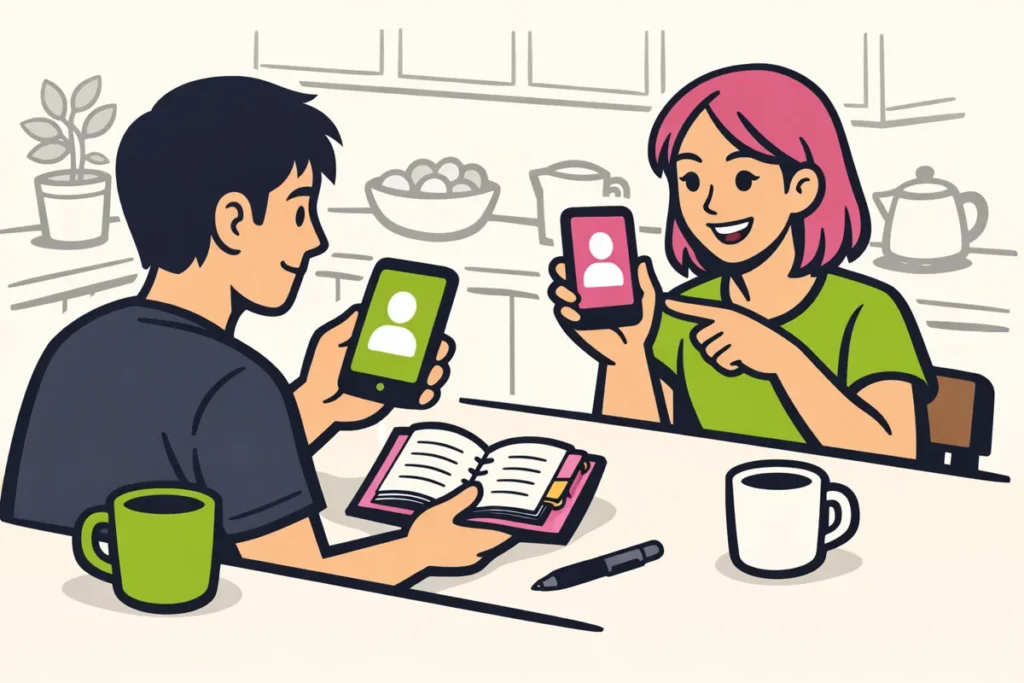
You can sometimes find someone on TikTok through your phone contacts. So you cannot always find the right account using only a phone number. The details and settings of both accounts matter. Do you not want to share your address book? Ask for the username or a link to the profile instead.
Below, you will learn how to search through contacts, what to do if someone is missing and how to limit how easily others can find you.
Can you find someone on TikTok using a phone number?
A phone number can help through your address book. Save the number as a contact and then use TikTok’s contact options. This method is not a search function where you enter a number and immediately get the associated profile.
Suppose you want to follow someone from your sports club. You exchanged numbers, but you do not know which name that person uses on TikTok. TikTok may then suggest an account from your contacts. However, such a suggestion is not proof that the profile really belongs to that person.
Before you start, consider whether you want to share your address book for this purpose. It may also contain numbers belonging to family members, your doctor or people you barely know. Do you only want to find one acquaintance? Asking for a link to the profile is often more targeted.
Finding someone on TikTok through your contacts
First check that the number is saved correctly on your phone. Compare it with the number you are currently in contact with. Also make sure you know who it belongs to. An old number or an unclear contact name makes it harder to recognise a suggested account.
The TikTok guide to friends and contacts explains how TikTok can suggest accounts from your phone contacts and how to sync contacts. Here, syncing means sharing your contact details with TikTok.
- Go to your privacy settings. Open Profile, then Menu, Settings and privacy, and then Privacy.
- Look for the contact syncing options. In this section, you can turn contact sharing on or off and remove previously shared contacts. The names and screens may differ depending on the app version or region.
- Turn on Sync contacts if you want to do this. Read the explanation on the screen before making your choice. If you do not want to share your address book, leave this option off.
- Review your phone’s permission request. Is your phone asking whether TikTok may access your contacts? Read what you are allowing. Without that access, you may prefer to choose another search method.
- View the suggested accounts. Check the section for friends or account suggestions to see whether you recognise the person.
- Check the profile. Look at the name, photo and description together. If in doubt, ask through the known number whether the account is correct.
For example, you could send: “I see a TikTok account with this name. Is that you?” This lets you check the profile before sending personal messages to it. Do not post the phone number in a public comment under a video.
Why does someone not appear in your TikTok contacts?
A missing account suggestion does not tell you why you cannot see someone. You cannot conclude from it that the person has no account, has blocked you or does not want to follow you.
First check your saved number and your own settings. Giving permission on your phone and turning on syncing within TikTok are separate choices. Therefore, check both if you want to use this search method.
| What should you check? | What can you do? |
|---|---|
| The saved number | Compare it with the number you are currently in contact with. Correct an error or replace an old number. |
| Access on your phone | Check in your phone’s app settings whether TikTok has access to your contacts. |
| Syncing within TikTok | Check that Sync contacts is enabled if you want to share your address book. |
| An unfamiliar account name | Ask for the full username. A first name alone is often difficult to identify. |
| The other person’s details | Ask for a profile link instead of guessing which number is linked to the account. |
You cannot check someone else’s settings. They also do not have to change them to share a profile with you. With a username or profile link, you can continue searching without changing the contact settings.
Limit how easily you can be found through TikTok contacts
Do you want to make it less easy for others to find you through your number? Then check the setting Suggest your account to others. Stopping the sharing of your own address book is a separate choice.
According to the TikTok guide to suggested accounts contact suggestions depend on linked phone numbers or email addresses, synced contacts and the Suggest your account to others setting.
Find that setting in your privacy settings. Read the explanation for the contacts option. Turn it off if you do not want to be suggested through that route. The name or location of the setting may differ slightly on your phone.
The difference between the two settings is important:
- Sync contacts is about sharing your address book with TikTok.
- Suggest your account to others is about suggesting your profile, including through contact details.
These choices do not make you completely impossible to find. Someone can still search for you using a known username or a shared profile link. Also check whether your full name is recognisable in your profile and whether you want to keep it that way.
Remove previously shared TikTok contacts
Have you shared your address book before? Stopping syncing is not the same as removing previously shared contacts. Turning it off concerns further sharing. Removing them concerns contact details you have already shared with TikTok.
To do this, return to the syncing options in your privacy settings. Look for the separate option to remove previously synced contacts. Read any confirmation so you know which data you are removing.
Then go through these points:
- Is Sync contacts on or off as you want it to be?
- Have you used the separate removal option for previously shared contacts if you want to remove that data?
- Does contact access in your phone settings still match your choice?
- Have you also checked Suggest your account to others?
Revoking access on your phone alone does not mean that previously shared data has also been removed. Therefore, review the removal option within TikTok separately. If no removal period is shown on your screen, do not assume a specific period.
Finding someone on TikTok without a phone number
Ask for the full username or a link to the profile if you do not want to use your address book. With only a name such as Lisa or Sam, you may end up at many different accounts.
- Ask them to send a profile link. Use a conversation in which you already know the other person.
- Search for the provided username. Copy periods, numbers and other characters exactly. Then check that you have the right profile.
- Check another known profile. That person may have posted a public link to TikTok there themselves.
- Ask someone you both know. Ask for a profile the person is willing to share, not for private information.
Do not use a website that promises to find a TikTok account for every phone number. Do not enter other people’s numbers there or upload an address book to get a result. You can ask the person directly for their profile.
Frequently asked questions about searching TikTok by phone number
Do we both need to save each other’s number?
Do not assume there is one fixed rule that means you both have to do the same thing. Contact suggestions depend on multiple details and settings. Do you want to be sure you open the right account? Ask for a profile link instead of finding out which combination works for you.
Does the other person get a notification if I sync contacts?
This cannot be said with certainty here. So do not assume that the other person will not notice. If you want to find someone without sharing your address book, ask for the username or a profile link.
Should I keep trying if no account appears?
No. Carefully check the number and the settings you selected. If you still do not see a suitable profile, search using a username or profile link. Repeatedly syncing does not help you determine why someone is missing. If you also publish your own content, our TikTok services includes packages for followers and likes. The product pages show the available quantities and prices.
























