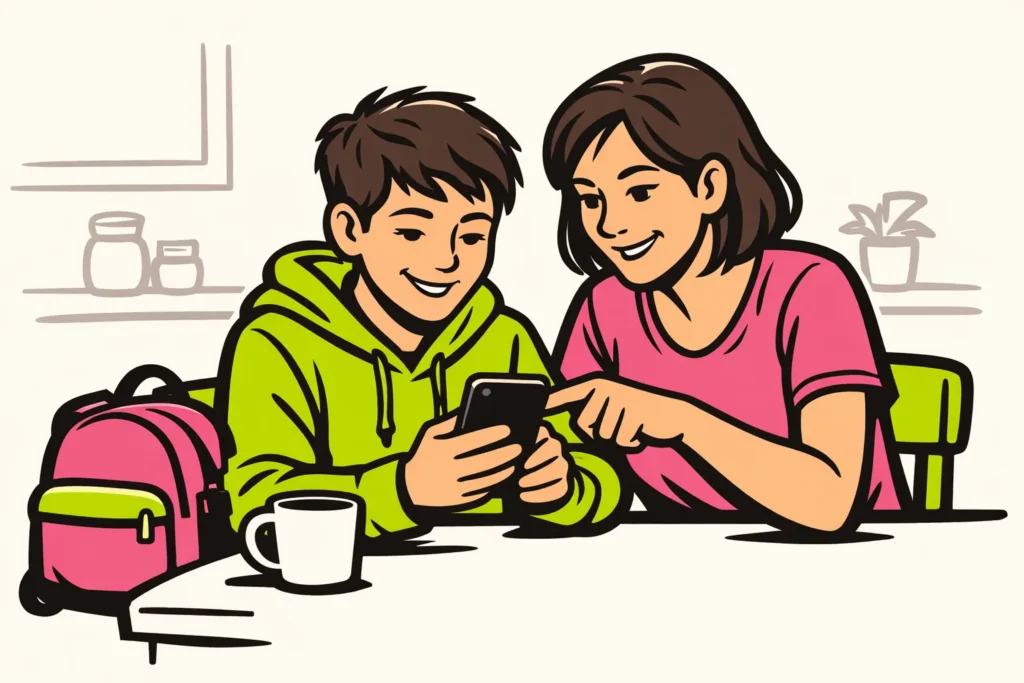
TikTok is not a safe choice for every child. It depends on their age, what they see and how they deal with it. Privacy settings help, but do not stop everything. First, check together who can see the account and contact your child. Also discuss what your child can do if they receive an unpleasant message or see a disturbing video.
Below, you can read which settings to check and which agreements can help at home.
What age can your child use TikTok?
TikTok states 13 as the minimum age and describes age based protection in its explanation of privacy and safety for teenagers. That does not mean your child is ready for it from their thirteenth birthday.
For parents in the Netherlands and Belgium, it is important to distinguish three things: TikTok’s age limit, legal rules and parenting advice. These limits are not automatically the same. The stated age of 13 is the app’s limit, not general legal permission.
Is your child younger? Do not create an account with a made up date of birth. Does your child mainly want to watch dances, recipes or animal videos? You can also watch preselected videos together in advance, without your child managing an account themselves.
First, discuss these questions with a teenager:
- Can you stop if a video makes you scared or angry?
- Do you know which information you should not share with strangers?
- Do you dare ask for help if you have posted something upsetting yourself?
Ask your child to explain what they would do. This gives you a better idea of what they already understand than simply having them promise to be careful.
What risks does TikTok pose for children?
Pay attention to what your child sees, who they contact and whether TikTok affects things such as sleep or schoolwork. Not every child experiences the same problems.
| Risk | What can happen | What you can agree on |
|---|---|---|
| Disturbing or misleading videos | A video frightens your child or gives dangerous health advice. | Stop watching and discuss the video. Do not simply follow advice without checking it. |
| Unwanted contact | A stranger asks about your child’s school, location or another chat app. | Do not share personal information and tell a trusted adult about the contact. |
| Bullying and unpleasant reactions | Others make fun of a video your child made. | Do not respond with abuse. Ask for help and look together at how to block or report someone. |
| Loss of privacy | An address or school details are visible in the background of a video. | Check the image, sound and background before posting anything. |
| Pressure to join in | Your child wants to copy a dangerous challenge or is disappointed by having few likes. | Discuss why they want to join in and what they themselves enjoy, separate from the reactions. |
| Continuing to watch for longer and longer | Your child goes to bed later because they keep watching videos. | Agree on a fixed stopping time and put the phone away afterwards. |
For example, you can ask: “Suppose someone says you must not tell us anything, what would you do?” Agree that your child should come to you precisely then. First listen to what happened instead of immediately giving a punishment.
Which TikTok privacy settings should you check together?
Look at the account together and let your child explain what they want to share. Check which settings apply to this account and this age. The options may differ.
- View the profile. Remove a surname, school name, telephone number or permanent address if it is not necessary.
- Check who can see messages. Check whether the account is private. It is better to choose a limited group of viewers than everyone.
- Review the followers. Ask who your child actually knows. A familiar profile picture does not prove who is behind it.
- Review contact and reactions. Check who can respond or make contact. Limit this to the people your child needs to contact.
- Check sharing and reuse. See which settings are available for downloading and for others using videos.
- Review notifications. Agree which notifications can be turned off during homework and in the evening.
A private account limits who gets access. Someone you allow can still record or forward something. Therefore, do not post images that your child would not want shown outside that group.
Do you want to know why a profile is restricted? Read why a TikTok account is private.
Cannot find a setting? Do not assume that protection is arranged automatically. Read the explanation TikTok displays for the account. Wait before posting videos until you know who can view them.
What can you do as a parent with Family Pairing on TikTok?
Family Pairing is TikTok’s family linking feature. It links a parent account to a teenager’s account for parental supervision. Look together at the choices available for your accounts. Explain what you want to set and why.
This link does not prevent every problem. A setting cannot determine how your child feels after watching a video. Therefore, keep talking about bullying, being asked to keep secrets and pressure to post something.
Make a clear agreement about asking for help. For example, you can say: “If someone pressures you, show it to me. Even if you have already responded.”
How do you make agreements about screen time on TikTok?
TikTok reported in its European update of 16 January 2026 private messages from age 16 and a default 60 minutes of screen time for teenagers under 18. These are app settings, not advice about what is right for your child.
First, decide when watching fits alongside sleep, schoolwork, exercise and time with others. Agree not only on a number of minutes, but also on a clear stopping time. This means you do not have to discuss it again every evening.
A fictional example of a family agreement:
- Your child watches for a maximum of twenty minutes after doing their homework.
- During meals, the phone is not placed on the table.
- Before bedtime, the phone goes to an agreed place outside the bedroom.
- After one week, you discuss whether stopping is working and whether the agreement needs to change.
Those twenty minutes are an example, not a recommended limit for every child. After that week, ask not only how long your child watched, but also how they felt afterwards. For example: “Did it make you feel happy, or did something unpleasant stay with you?”
When is it better to wait before using TikTok?
Wait before giving your child their own account if they are below the minimum age. Even for an older teenager, waiting or taking a break may be appropriate. For example, if stopping is repeatedly unsuccessful or reactions cause a lot of tension.
Pay attention to changes that keep recurring. Is your child sleeping worse, afraid of messages or no longer wanting to meet up after problems online? This does not prove that TikTok is the cause. It is still a reason to calmly ask what is going on.
Then choose a concrete step together. Consider less viewing time, posting nothing for the time being or taking a break from TikTok. Also agree when you will review how things are going.
In the event of threats or pressure to send intimate images, getting help is more important than a conversation about screen time. Do not let your child respond further and seek appropriate help. Call 112 in immediate danger.
TikTok checklist for parents before your child starts
Go through these points before your child starts. Review them again if the account or its use changes.
- Your child meets the minimum age and uses their real date of birth.
- You know who can see the profile and messages.
- You have reviewed followers, contact options and reactions.
- Your child checks the background before posting a video.
- You have agreed what to do about unpleasant videos or unwanted contact.
- There is a clear stopping time and an agreement about where the phone stays at night.
- Your child knows whom to ask for help, even if they have made a mistake themselves.
Start with what is still unclear. For example, do you not know who can see a video? Work that out together first before your child posts anything.
